> For the complete documentation index, see [llms.txt](https://guia-de-uso.tiflux.com/llms.txt). Markdown versions of documentation pages are available by appending `.md` to page URLs; this page is available as [Markdown](https://guia-de-uso.tiflux.com/faq/duvidas-frequentes/api/kcs-utilizacao-e-testes-no-tiflux-da-api-v2.md).
# KCS - Utilização e Testes no Tiflux da API V2
## 🤖 Utilização e Testes no Tiflux da API V2
🕒 Tempo aproximado para leitura: 00:01:30 min
***
### ❓ Dúvida
Como realizar testes de rotas ou importar a documentação da API Tiflux V2 para ferramentas externas como o Postman?
***
### 🔎 Causa
Necessidade de validar integrações, realizar operações via API (GET, POST, PUT, etc.) ou automatizar processos de forma simplificada.
***
### ✅ Solução
Para utilizar a API, você pode optar pela documentação interativa ou por ferramentas externas:
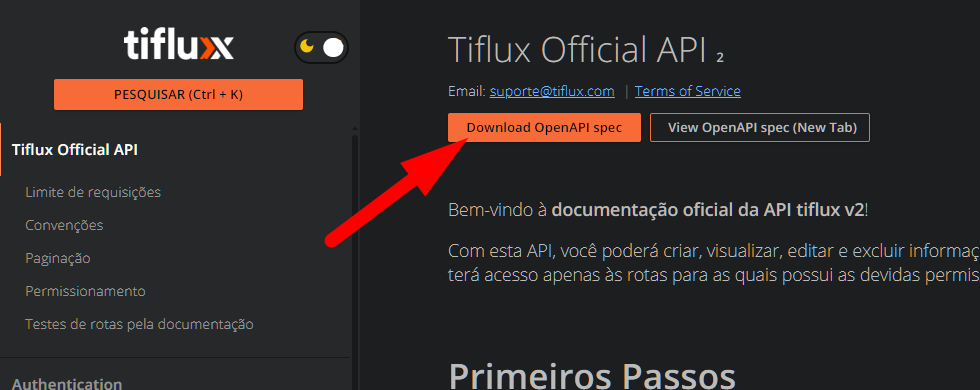
* Uso no Postman: Acesse a página oficial da API e clique no botão Download OpenAPI spec. Importe o arquivo baixado diretamente no Postman para carregar todas as rotas e coleções.
* Autenticação na Documentação:
1. Acesse o link oficial: [api.tiflux.com/api/v2/#auth](https://api.tiflux.com/api/v2/#auth).
2. Gere seu token no sistema Tiflux em Minha Conta > Sessões.
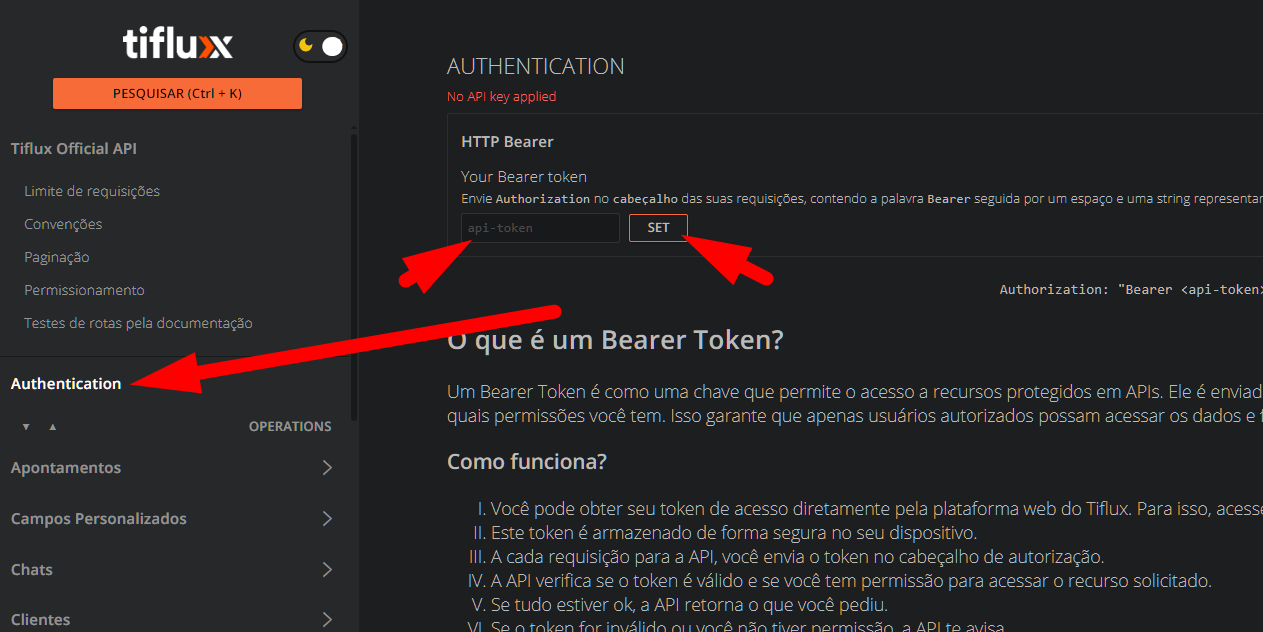
3. Na documentação, clique em Authentication no menu lateral, insira o token no campo api-token e clique em SET.
* Execução de Requisições: Com o token configurado, navegue pelo menu à esquerda, selecione a rota desejada e execute os testes diretamente pela interface da documentação.